<h1 align="center">
Mailpit - email testing for developers
</h1>
<div align="center">
<a href="https://github.com/axllent/mailpit/actions/workflows/tests.yml"><img src="https://github.com/axllent/mailpit/actions/workflows/tests.yml/badge.svg" alt="CI Tests status"></a>
<a href="https://github.com/axllent/mailpit/actions/workflows/release-build.yml"><img src="https://github.com/axllent/mailpit/actions/workflows/release-build.yml/badge.svg" alt="CI build status"></a>
<a href="https://github.com/axllent/mailpit/actions/workflows/build-docker.yml"><img src="https://github.com/axllent/mailpit/actions/workflows/build-docker.yml/badge.svg" alt="CI Docker build status"></a>
<a href="https://github.com/axllent/mailpit/actions/workflows/codeql-analysis.yml"><img src="https://github.com/axllent/mailpit/actions/workflows/codeql-analysis.yml/badge.svg" alt="Code quality"></a>
<a href="https://goreportcard.com/report/github.com/axllent/mailpit"><img src="https://goreportcard.com/badge/github.com/axllent/mailpit" alt="Go Report Card"></a>
<br>
<a href="https://github.com/axllent/mailpit/releases/latest"><img src="https://img.shields.io/github/v/release/axllent/mailpit.svg" alt="Latest release"></a>
<a href="https://hub.docker.com/r/axllent/mailpit"><img src="https://img.shields.io/docker/pulls/axllent/mailpit.svg" alt="Docker pulls"></a>
</div>
<br>
<p align="center">
<a href="https://mailpit.axllent.org">Website</a> •
<a href="https://mailpit.axllent.org/docs/">Documentation</a> •
<a href="https://mailpit.axllent.org/docs/api-v1/">API</a>
</p>
<hr>
**Mailpit** is a small, fast, low memory, zero-dependency, multi-platform email testing tool & API for developers.
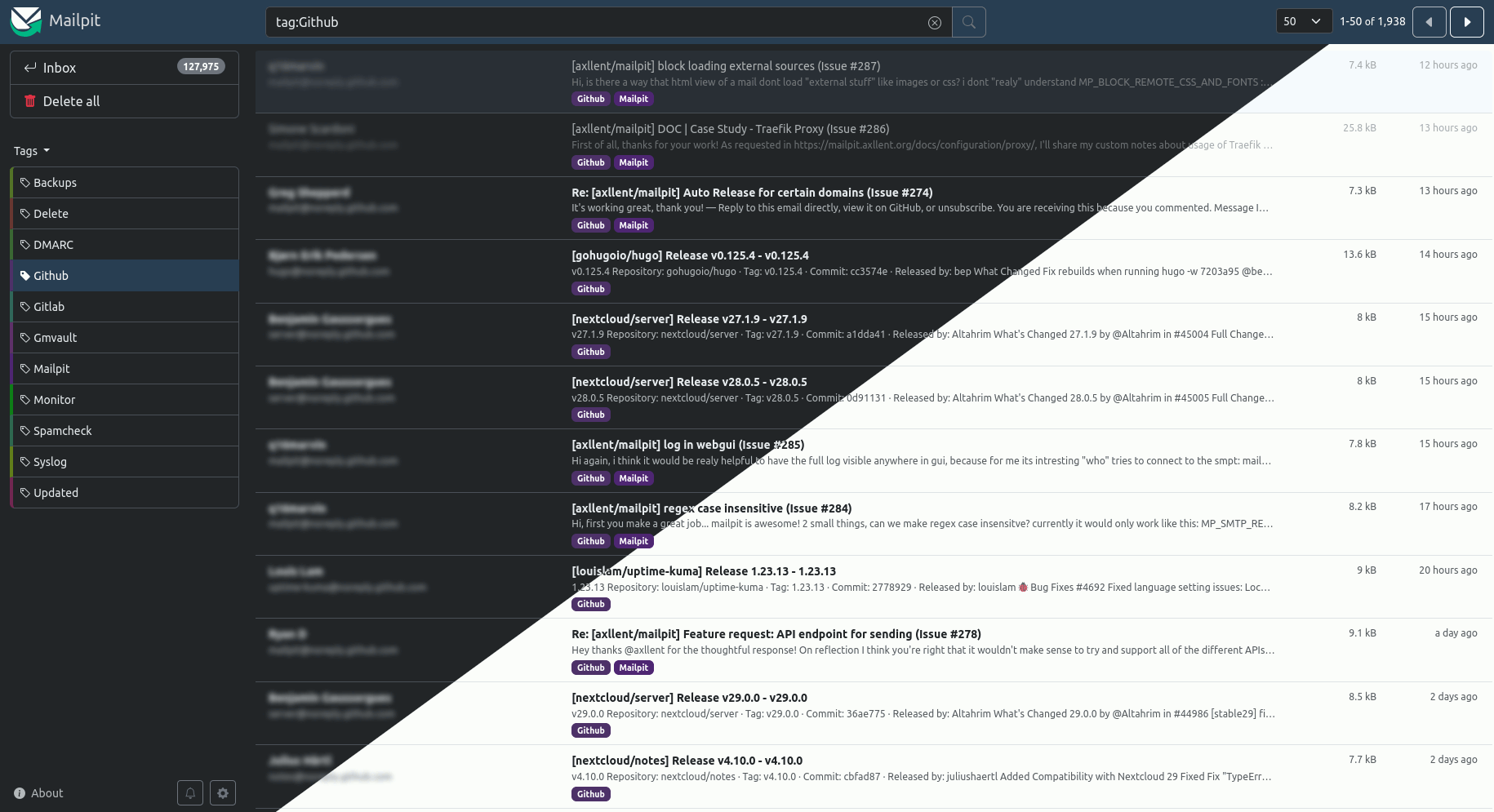
It acts as an SMTP server, provides a modern web interface to view & test captured emails, and includes an API for automated integration testing.
Mailpit was originally **inspired** by MailHog which is [no longer maintained](https://github.com/mailhog/MailHog/issues/442#issuecomment-1493415258) and hasn't seen active development or security updates for a few years now.
## Features
- Runs entirely from a single [static binary](https://mailpit.axllent.org/docs/install/) or multi-architecture [Docker images](https://mailpit.axllent.org/docs/install/docker/)
- Modern web UI with advanced [mail search](https://mailpit.axllent.org/docs/usage/search-filters/) to view emails (formatted HTML, highlighted HTML source, text, headers, raw source, and MIME attachments
including image thumbnails), including optional [HTTPS](https://mailpit.axllent.org/docs/configuration/http/) & [authentication](https://mailpit.axllent.org/docs/configuration/http/)
- [SMTP server](https://mailpit.axllent.org/docs/configuration/smtp/) with optional STARTTLS or SSL/TLS, authentication (including an "accept any" mode)
- A [REST API](https://mailpit.axllent.org/docs/api-v1/) for integration testing
- Real-time web UI updates using web sockets for new mail & optional [browser notifications](https://mailpit.axllent.org/docs/usage/notifications/) when new mail is received
- Optional [POP3 server](https://mailpit.axllent.org/docs/configuration/pop3/) to download captured message directly into your email client
- [HTML check](https://mailpit.axllent.org/docs/usage/html-check/) to test & score mail client compatibility with HTML emails
- [Link check](https://mailpit.axllent.org/docs/usage/link-check/) to test message links (HTML & text) & linked images
- [Spam check](https://mailpit.axllent.org/docs/usage/spamassassin/) to test message "spamminess" using a running SpamAssassin server
- [Create screenshots](https://mailpit.axllent.org/docs/usage/html-screenshots/) of HTML messages via web UI
- Mobile and tablet HTML preview toggle in desktop mode
- [Message tagging](https://mailpit.axllent.org/docs/usage/tagging/) including manual tagging or automated tagging using filtering and "plus addressing"
- [SMTP relaying](https://mailpit.axllent.org/docs/configuration/smtp-relay/) (message release) - relay messages via a different SMTP server including an optional allowlist of accepted recipients
- [SMTP forwarding](https://mailpit.axllent.org/docs/configuration/smtp-forward/) - automatically forward messages via a different SMTP server to predefined email addresses
- Fast message [storing & processing](https://mailpit.axllent.org/docs/configuration/email-storage/) - ingesting 100-200 emails per second over SMTP depending on CPU, network speed & email size,
easily handling tens of thousands of emails, with automatic email pruning (by default keeping the most recent 500 emails)
- [Chaos](https://mailpit.axllent.org/docs/integration/chaos/) feature to enable configurable SMTP errors to test application resilience
- `List-Unsubscribe` syntax validation
- Optional [webhook](https://mailpit.axllent.org/docs/integration/webhook/) for received messages
## Installation
The Mailpit web UI listens by default on `http://0.0.0.0:8025` and the SMTP port on `0.0.0.0:1025`.
Mailpit runs as a single binary and can be installed in different ways:
### Install via package managers
- **Mac**: `brew install mailpit` (to run automatically in the background: `brew services start mailpit`)
- **Arch Linux**: available in the AUR as `mailpit`
- **FreeBSD**: `pkg install mailpit`
### Install via bash script (Linux & Mac)
Linux & Mac users can install it directly to `/usr/local/bin/mailpit` with:
```bash
sudo bash < <(curl -sL https://raw.githubusercontent.com/axllent/mailpit/develop/install.sh)
```
### Download static binary (Windows, Linux and Mac)
Static binaries can always be found on the [releases](https://github.com/axllent/mailpit/releases/latest). The `mailpit` binary can be extracted and copied to your `$PATH`, or simply run as `./mailpit`.
### Docker
See [Docker instructions](https://mailpit.axllent.org/docs/install/docker/) for 386, amd64 & arm64 images.
### Compile from source
To build Mailpit from source, see [Building from source](https://mailpit.axllent.org/docs/install/source/).
## Usage
Run `mailpit -h` to see options. More information can be seen in [the docs](https://mailpit.axllent.org/docs/configuration/runtime-options/).
If installed using homebrew, you may run `brew services start mailpit` to always run mailpit automatically.
### Testing Mailpit
Please refer to [the documentation](https://mailpit.axllent.org/docs/install/testing/) on how to easily test email delivery to Mailpit.
### Configuring sendmail
Mailpit's SMTP server (default on port 1025), so you will likely need to configure your sending application to deliver mail via that port.
A common MTA (Mail Transfer Agent) that delivers system emails to an SMTP server is `sendmail`, used by many applications, including PHP.
Mailpit can also act as substitute for sendmail. For instructions on how to set this up, please refer to the [sendmail documentation](https://mailpit.axllent.org/docs/install/sendmail/).